AI Tasks
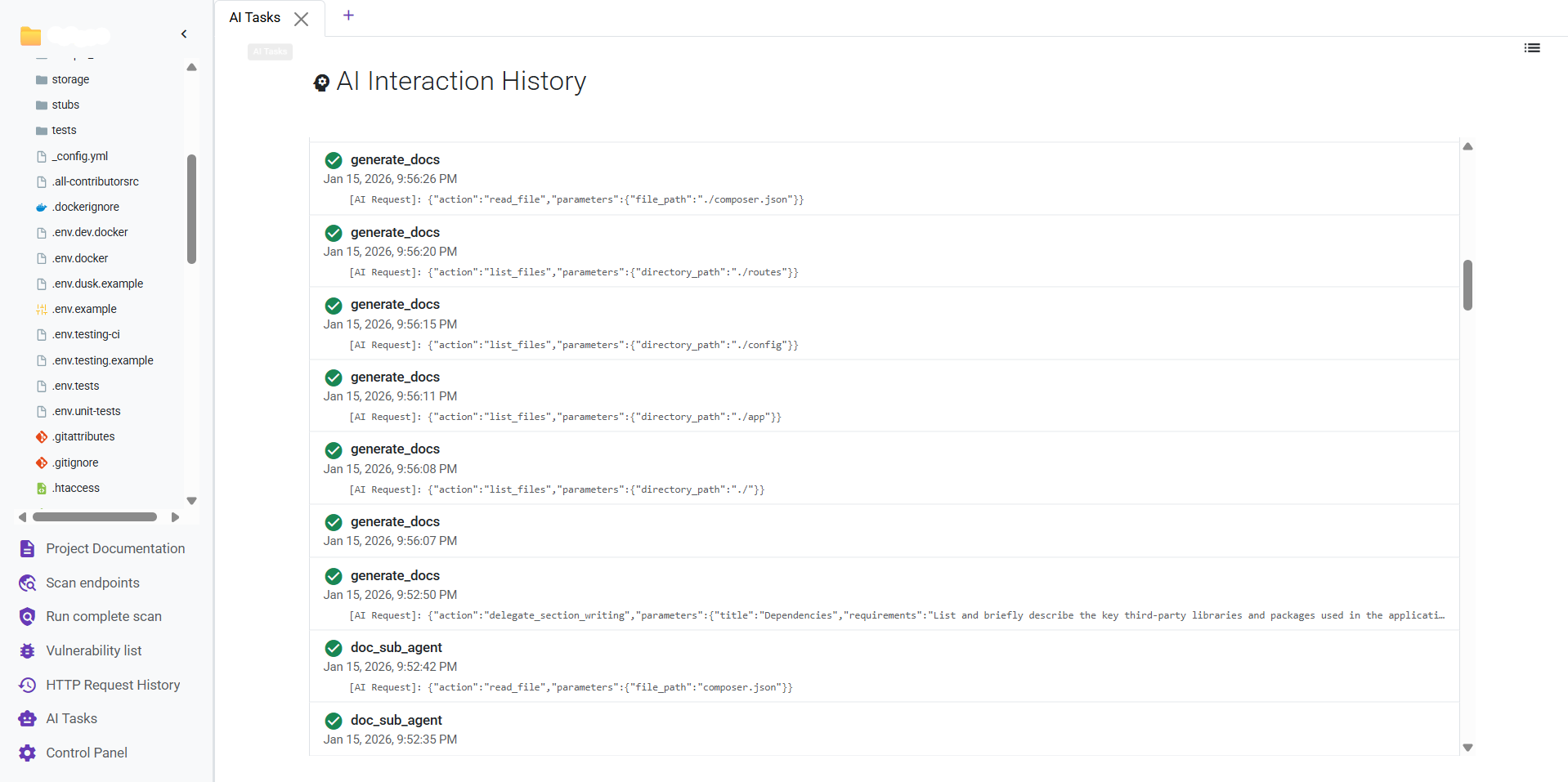
The AI Tasks section provides a complete log of every interaction with the configured AI model. This includes prompts initiated by you and automated, multi-step tasks performed by the AI itself.
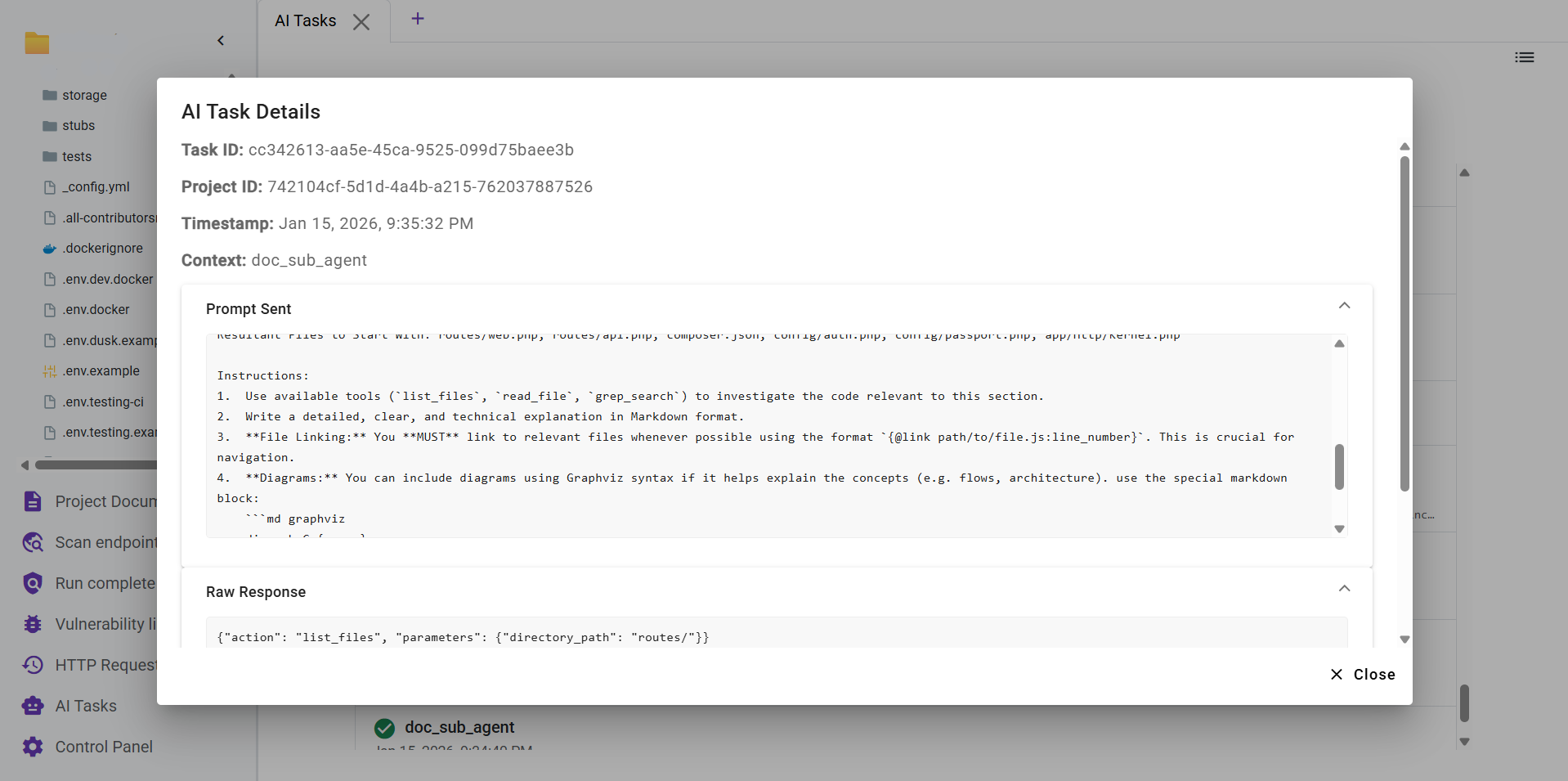
Clicking on a task opens a modal with detailed information for debugging and review:
- Task Details: Includes the Task ID, Project ID, Timestamp, and the context of the interaction.
- Prompt Sent: The exact prompt sent to the AI. This can be an internal system prompt or a user-generated one.
- Raw Response: The complete, unformatted response received directly from the AI.
- Parsed JSON: The raw response transformed into a structured JSON format, which is useful for debugging.
- Last AI Response Segment: In multi-step AI interactions, this shows the intermediate response from the previous step.
- Last AI Result Segment: In multi-step AI interactions, this shows the processed result from the previous step.