Configure AI API Key
To leverage the AI-powered features in Deflectra, you must provide your own API key from a supported provider.
Currently, Deflectra supports the following AI providers:
We will never store or transmit your API key. It is used exclusively on your local machine to communicate directly with the AI provider you select.
The complete list of models for each AI provider is retrieved automatically and can be found inside the application after you configure your key.
Setup Instructions
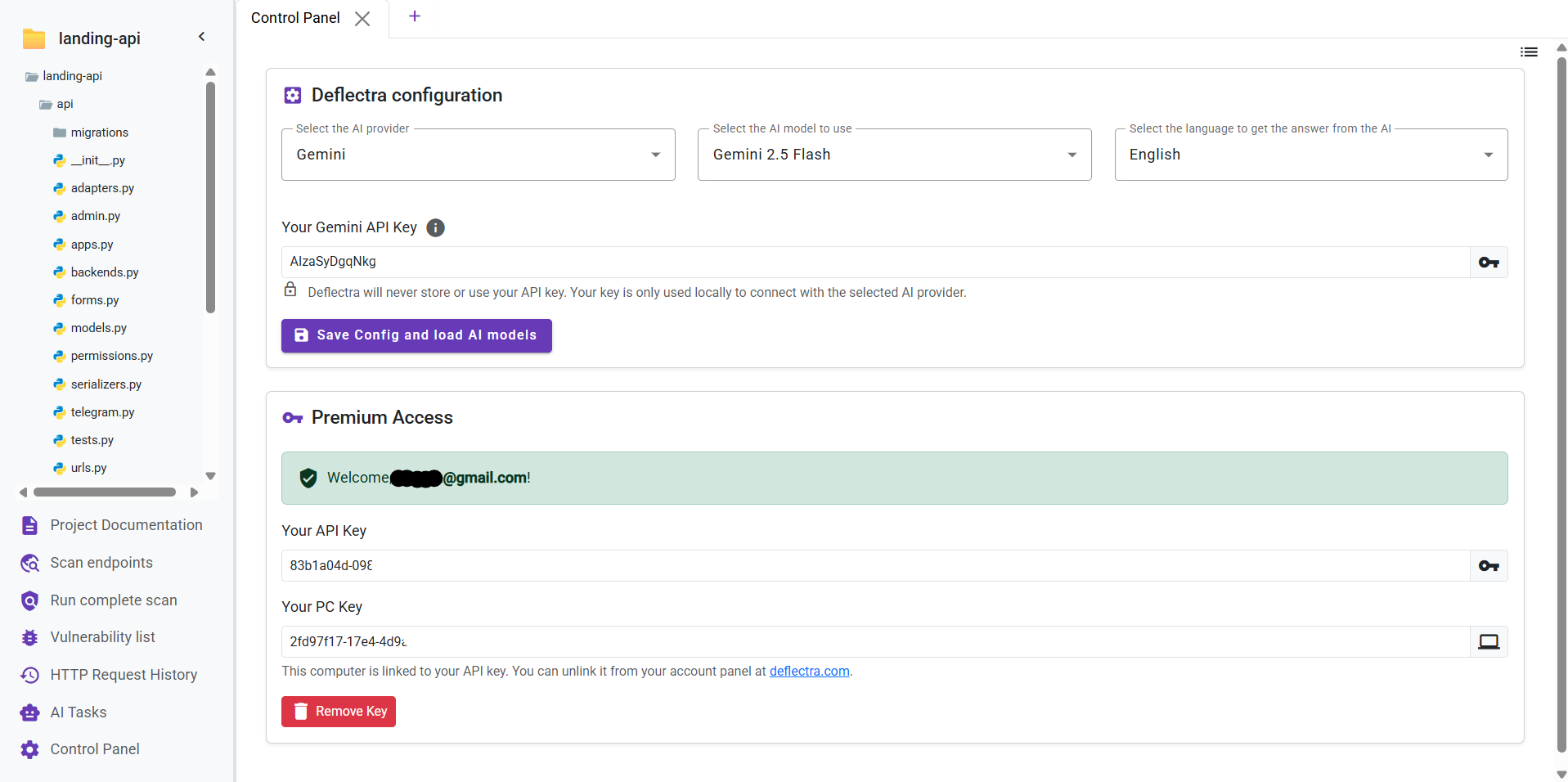
To configure your API key, navigate to the control panel in the left sidebar and follow these steps:
- Select AI Provider: Choose between OpenAI, Gemini, or Anthropic.
- Enter API Key: Paste your API key into the designated field.
- Load AI Models: Click the "Save Config and load AI Models" button. The application will verify your key and fetch the available models.
- Choose AI Model: Select your preferred model from the dropdown list. This list is populated after your key is successfully verified.
- Select Language: Choose the language for your AI-generated results (e.g., English, Spanish, German, Italian, French).
Premium Access
A premium subscription is not required to use your own AI API key for basic features.
Upgrading to Premium unlocks advanced AI capabilities and other exclusive features. You can find more information on how to upgrade here.