Endpoint Scanner
The Endpoint Scanner is the second tool available in the left sidebar. It is designed to discover all API and web endpoints within your project's source code.
By default, the Endpoint Scanner only discovers endpoints. It does not automatically scan them for vulnerabilities.
- Premium: To scan all discovered endpoints for vulnerabilities at once, enable the "Search for vulnerabilities" option before starting the scan.
- Free: After discovery, you can scan each endpoint individually for vulnerabilities.
Once the discovery process is complete, the results are displayed in a table. Each row represents a single endpoint and contains the following information:
- Endpoint: The URL path, along with the source file and line number where it is defined.
- Methods: The supported HTTP methods (e.g.,
GET,POST,PUT,DELETE). - Vulnerabilities: The number of vulnerabilities found in the endpoint and its severity. By clicking on it, you can see the list of vulnerabilities found in the endpoint.
- Status: An indicator showing whether the endpoint has been scanned for vulnerabilities.
- Delete button: In case you do not want the endpoint anymore. (Will be necessary to re-scan endpoints if you need the deleted ones)
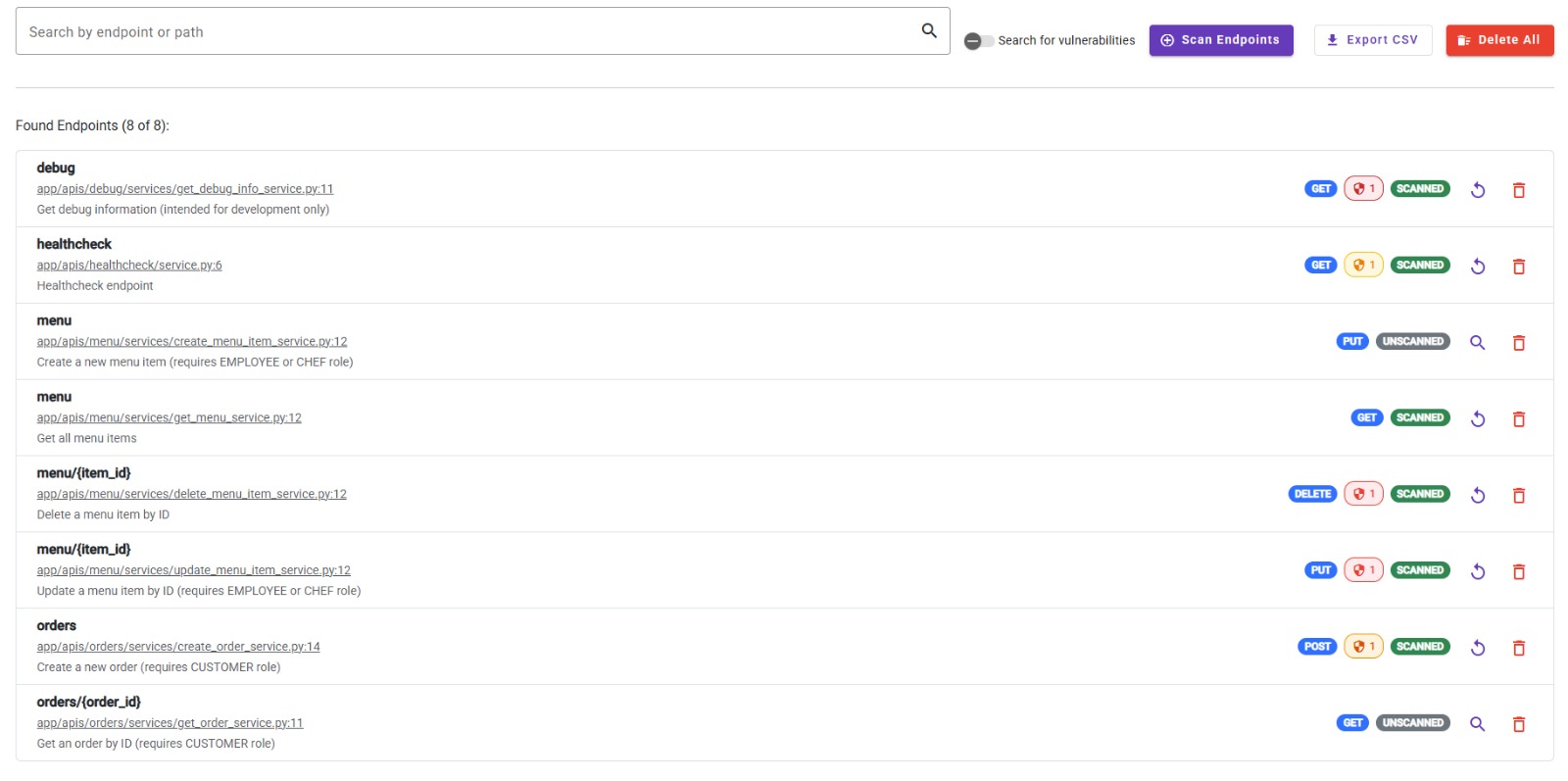
Once an endpoint has been scanned for vulnerabilities (either massively or individually), it will be automatically linked to its respective vulnerabilities, allowing you to access them directly from the endpoint list!
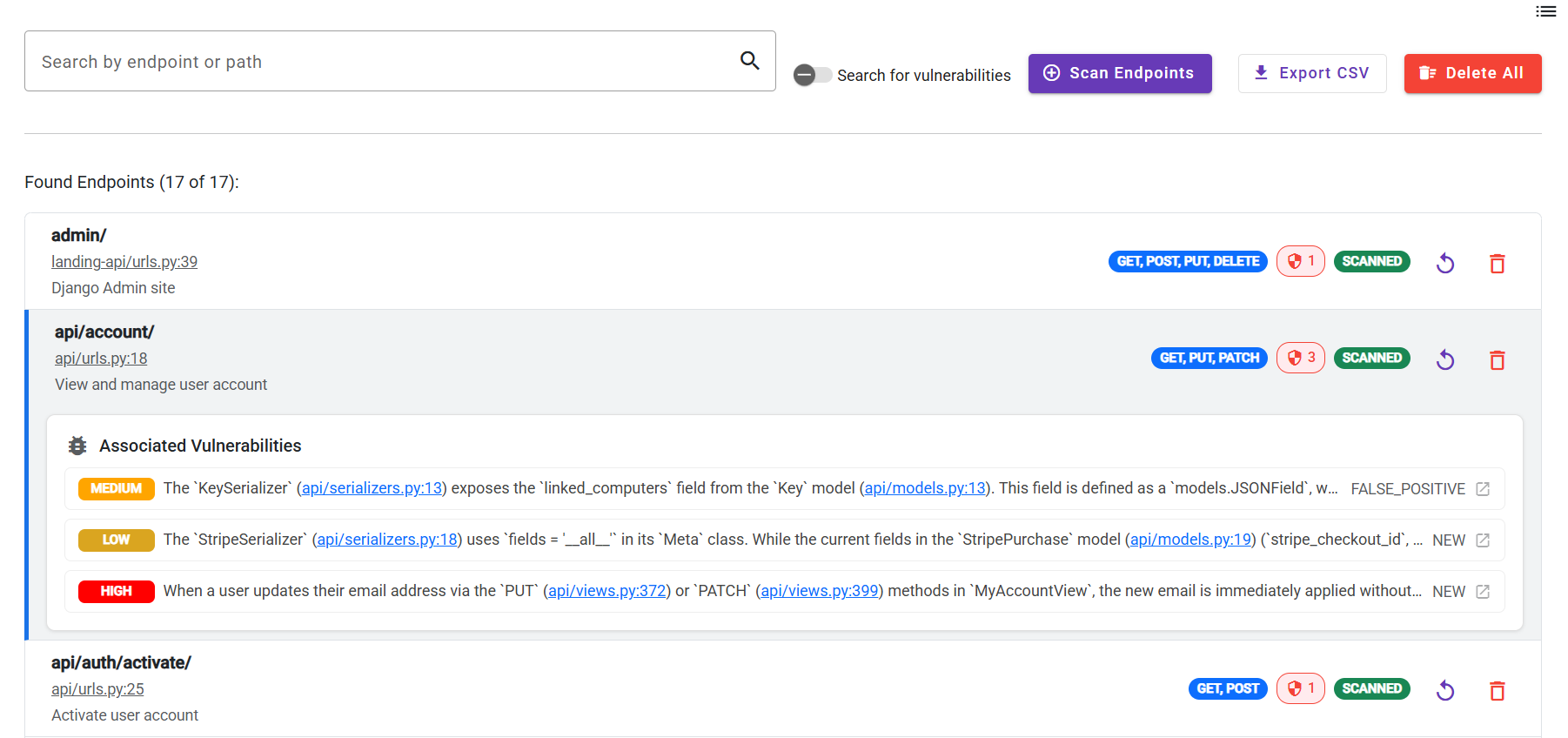
Vulnerabilities found during an endpoint scan will be listed also in the Vulnerability List section. You can learn more about it here.