Vulnerability Scanner: SAST & DAST
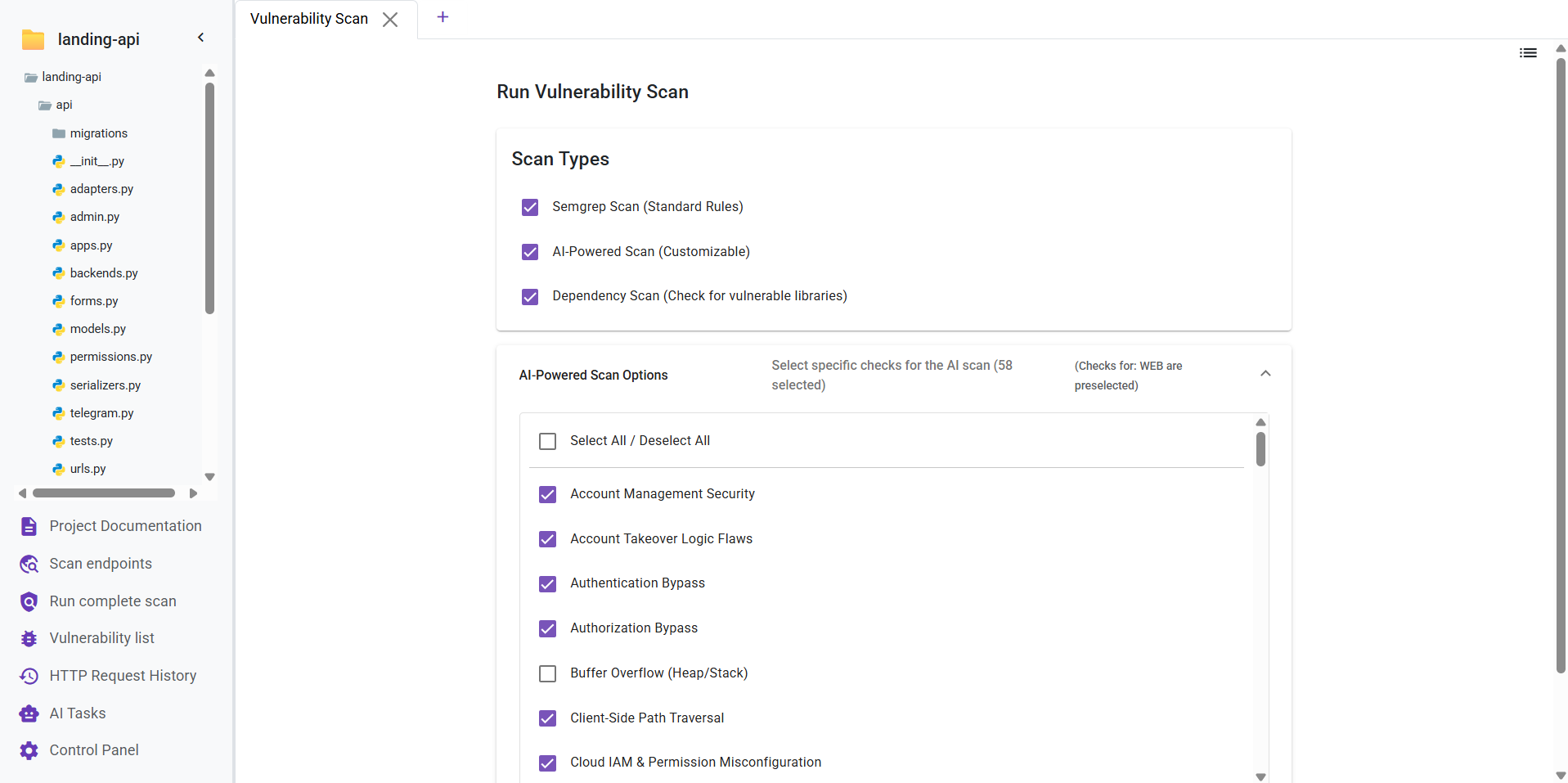
The Vulnerability Scanner is Deflectra's core feature, offering multiple analysis methods to secure your code. You can choose from three different scan types:
- Semgrep Scan (Free): A fast static analysis scan powered by the open-source Semgrep engine. Deflectra further enhances this by employing AI to curate the rule set and generate custom, context-aware security rules for your specific codebase.
- AI-Powered Scan (Premium): An advanced, customizable scan that uses AI to perform in-depth analysis. It covers over 70 vulnerability checks tailored to your project type. You can view the complete list of checks here.
- Dependency Scan (Free): Identifies known vulnerabilities within your project's third-party libraries and dependencies.
Dual-Engine Analysis: SAST & DAST
When you initiate a scan in Deflectra, the application employs a comprehensive dual-engine approach to ensure maximum security coverage. It simultaneously executes both SAST and DAST analyses:
SAST (Static Application Security Testing)
SAST, or "White Box Testing," analyzes your source code from the inside out while it's at rest.
- Early Detection: Finds vulnerabilities early in the development lifecycle (SDLC).
- Code Usage: Examines the actual code logic, control flow, and data flow.
- Characteristics: Fast, covers 100% of the codebase, and requires no running application.
DAST (Dynamic Application Security Testing)
DAST, or "Black Box Testing," interacts with your running application to simulate realistic external attacks.
- Real-World Simulation: mimic's a hacker's approach by sending requests to your app and analyzing the responses.
- Runtime Analysis: Detects issues that only appear when the application is running, such as authentication flaws or server configuration errors.
- Transparent Logging: Deflectra captures every request made during the DAST scan. You can view these detailed logs directly inside the vulnerability or in the HTTP Requests tab.
After initiating a scan, the findings will be populated in the Vulnerability List section. The list updates automatically until the analysis is finished.
You can navigate to other sections of the application while a scan is running. You will receive a notification once it has been completed.